
TL;DR
Five AI automations — lead research & enrichment, CRM sync, content publishing, automated reporting, and ad creative rotation — replaced 22 hours of weekly manual work for one agency. Here’s the stack, what each tool costs, and how to roll it out without getting overwhelmed.
Why This Is an Agency Survival Problem in 2026
The marketing agencies that will win in 2026 are not the ones with the best creative directors. They’re the ones that have automated the work that used to take junior team members 20 hours a week — and pointed those hours at work that actually requires a human. According to McKinsey’s 2025 Generative AI Impact report, marketing and sales functions that adopted AI automation saw a 15–40% productivity increase, with agencies specifically reporting the highest gains in prospecting, content creation, and reporting tasks.
Lead research, CRM sync, report generation, content publishing, ad creative rotation: all of this is automatable today with tools that cost less per month than a single employee’s daily rate. If you’re still doing these things manually, you’re not just inefficient — you’re structurally uncompetitive against agencies that aren’t.
At Varnan, we’ve been building and running this stack in production. Here’s exactly what it looks like, what it costs, and how to build it.
“We went from publishing 4 articles a month to 12 — with the same team time, just redirected from writing to editing. That’s what AI infrastructure does for an agency.”
— Amal Jandheer, Founder, Varnan
Total monthly cost of the full stack below: $100–$140/month (depending on usage tier). This replaces approximately 60–80 hours of manual team work per month.
The Five-Automation Agency Stack at a Glance
| Automation | Hours Saved/Month | Cost/Month | Build Priority |
|---|---|---|---|
| Automated Reporting | 8–12 hrs | ~$20 | 1st |
| CRM Sync | 6–10 hrs | ~$18 | 2nd |
| Content Pipeline | 12–20 hrs | ~$28 | 3rd |
| Lead Research Pipeline | 16–20 hrs | ~$35 | 4th |
| Ad Creative Rotation | 4–8 hrs | Included in Make | 5th (ongoing) |
1. Lead Research & Enrichment Pipeline
This is the automation with the highest leverage for any agency doing outbound. The status quo: a team member manually searches LinkedIn, Apollo, or Google for prospects, copies details into a spreadsheet, looks up emails, and pastes them into a CRM. Time taken: 3–5 hours per batch, error-prone, done inconsistently.
The automated version runs nightly:
- A trigger defines the target: job title, company size, industry, location, funding stage
- An AI agent queries Apollo or Hunter for matching companies and decision-makers
- Claude enriches each lead: visits their LinkedIn, reads their recent posts, identifies current pain points
- Enriched leads are pushed automatically to ClickUp (or your CRM) with a personalised first-line already drafted
- Team wakes up to 20–40 enriched, prioritised leads ready for outreach — no manual research
Stack: Make.com (orchestration) · Apollo.io (prospecting data) · Claude API (enrichment + first-line generation) · ClickUp (CRM destination) — ~$35/mo

2. CRM Sync Automation
Every agency has the same problem: information lives in too many places. A call happens on Google Meet, notes go into Fireflies, action items go into someone’s personal notes, and the CRM update happens three days later — if at all.
The fix is a sync layer that treats your CRM as the single source of truth and pulls from everywhere else:
- Fireflies meeting transcripts → AI summary → ClickUp task with action items auto-created
- WhatsApp client messages → Gmail thread → CRM contact activity log updated
- Proposal sent in Gmail → CRM deal stage updated automatically to “Proposal Sent”
- Invoice paid (from Sheets/Razorpay) → CRM deal marked “Won” → onboarding task created
Stack: Make.com · Fireflies API · Gmail API · ClickUp API · Google Sheets — ~$18/mo
3. Content Publishing Pipeline
Content is where agencies bleed the most time. Brief → research → draft → edit → format → schedule → publish is a 6-step process that takes days per piece. The AI stack compresses it:
- A content calendar lives in a Google Sheet or Airtable — titles, keywords, publish dates
- Make.com triggers daily at 6am: picks up any post with status “Ready to Draft”
- Claude receives the title, target keyword, brand voice guide, and top-ranking competitor URLs
- Draft returned to Airtable, status set to “Needs Review” — human reviews and approves
- On approval, Make publishes to WordPress, schedules the LinkedIn post, creates the newsletter snippet
We used this pipeline at Varnan to go from 4 articles per month to 12 — with the same team time, just redirected from writing to editing and strategy.
Stack: Make.com · Airtable (content calendar) · Claude API (drafting) · WordPress REST API · Buffer (social scheduling) — ~$28/mo
4. Automated Reporting
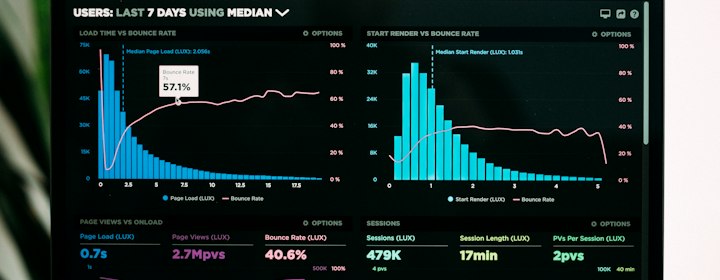
The weekly performance report is one of the most time-consuming parts of client management — and one of the most automatable. A standard agency report pulls data from Google Ads, Meta, GA4, and Search Console, formats it, writes the narrative summary, and emails it. Doing this manually: 2–3 hours per client, every week.
The automated version:
- Make.com pulls metrics from all connected platform APIs on Sunday evening
- Data normalised into a single schema: channel, spend, revenue, ROAS, MER, key events
- Claude writes the narrative: what improved, what declined, what to watch, recommended action
- Formatted report emailed to the client Monday morning — before they’ve had coffee
Stack: Make.com · Google Ads API · Meta Ads API · GA4 API · Search Console API · Claude API (narrative) · Gmail (delivery) — ~$20/mo
5. Ad Creative Rotation
Creative fatigue is the silent killer of performance campaigns. The same ad seen too many times produces diminishing returns — and most agencies only catch it after it’s already hurting ROAS. The automated version monitors and rotates proactively:
- Daily check: if a creative’s CTR drops below threshold OR frequency exceeds 4.0, flag it
- New creative brief auto-generated based on top-performing creative patterns
- Brief sent to Slack channel for creative team pickup — no manual monitoring required
- When new creative is approved and uploaded, it auto-rotates into the ad set
The compounding effect: each of these automations individually saves a few hours. Together, they save 60–80 hours per month — the equivalent of a full-time junior role — and the time goes to strategy, creative, and client relationships. That’s the real ROI.
How to Start (Without Getting Overwhelmed)
Don’t try to build all five at once. Here’s the sequence that works:
- Week 1–2: Build the reporting automation first. It’s the fastest to implement, immediately visible to clients, and gives you confidence the tooling works before you build anything more complex.
- Week 3–4: CRM sync. Start with Fireflies → ClickUp only. Add Gmail and WhatsApp once that’s stable.
- Month 2: Content pipeline. Define your brand voice document first — Claude needs it to write on-brand.
- Month 3: Lead research pipeline. This one requires the most custom configuration but has the highest leverage for outbound.
- Ongoing: Creative rotation monitoring. Add this once you have active campaigns running and a creative production process in place.
If you want to see any of these in action, or want us to build the stack for your agency, book a call here. We build these as a standalone service — or as part of a full AI Automation retainer.
Frequently Asked Questions
What does an AI automation stack actually include for a marketing agency?
A typical agency stack covers five areas: lead research and enrichment, CRM sync, content publishing, automated client reporting, and ad creative rotation. Each runs on an orchestration tool like Make.com paired with the Claude API for the AI layer, plus the data sources specific to that task — Apollo, Fireflies, GA4, Google Ads, and so on. Together they’re built to eliminate the repetitive work that otherwise eats a junior team member’s week.
How much does it cost to run an AI automation stack like this?
The full five-automation stack described here costs $100–$140/month, depending on usage tier. Individually, lead pipeline automation runs around $35/month, CRM sync around $18/month, content publishing around $28/month, and reporting around $20/month. That’s less than a single employee’s daily rate to replace 60–80 hours of manual work per month.
Which automation should an agency build first?
Start with automated reporting. It’s the fastest to implement, the results are immediately visible to clients, and it builds confidence in the tooling before you tackle anything more complex. From there, move to CRM sync (starting with Fireflies to ClickUp), then a content publishing pipeline, then lead research — which has the highest leverage but needs the most custom configuration.
Can AI automation really replace manual lead research for outbound?
Yes — this is the highest-leverage automation in the stack. Instead of a team member spending 3–5 hours per batch manually searching LinkedIn, Apollo, or Google, an AI agent queries prospecting tools for matching companies and decision-makers, enriches each lead by reading their recent activity to surface pain points, and pushes 20–40 prioritised leads to a CRM overnight — complete with a personalised first-line already drafted.
What’s the real ROI of automating an agency’s operations with AI?
The five automations in this stack — lead research, CRM sync, content publishing, reporting, and ad creative rotation — together save 60–80 hours per month, roughly the equivalent of a full-time junior role, for $100–$140/month. The bigger win is where that freed-up time goes: out of repetitive admin and into strategy, creative, and client relationships, which is what actually grows an agency.